1. General Safety Summary
- Read the following safety precautions carefully to avoid personal injury and to prevent damage to the product or any product connected to the product.
- To avoid possible hazards, be sure to use this product as specified.
- Do not remove or repair this product without the authorization of our company.
- Use a power cord that is certified in USA.
- Before using the instrument, please connect the instrument correctly with reference to this manual to ensure proper wiring when the power is turned off.
- Do not use this product when the cover is open.
- If you suspect that the product is damaged, please contact our technical staff for maintenance. Don't open and repair this product.
- Do not use in humid environments. Please be properly ventilated.
2. Product Key Features
High Quality LCD Monitor
The monitor has the advantages of a clear display and high contrast. The user interface is very friendly, and operations are simple and intuitive. Capacitive touch screen achieves 99% accuracy, with less than 3ms response speed, smooth user experience.
Servo Motor
The product uses a high-end servo motor as a main component with control accuracy of 0.0001M and speed range 0-100 m/min.
Acceleration
The product can be set to run in acceleration, to achieve a uniform acceleration or a uniform deceleration mode of operation.
Multi-step Speed Control
The product allows multi-step speed control. Each step can be set to different parameters (time, speed, acceleration).
Record Persistency
The product comes with a power-down saving function and saves up to 200 experiment results.
Data Browse
The browse function allows user to choose previous experiment results and display them and export to a CSV format.
Fetch Data
With the company's software, the experimental data can be uploaded into the computer (see separate document "Maze Engineers Treadmill Software User Manual.pdf" for more details).
Electric Stimulus
The product comes with electric stimulus grid with the intensity range of 0-5mA. It can be turned on/off manually. In case of animal fatigue, it is turned off automatically. The stimulus can effectively force an animal to run.
Individual Lane Counting
Each lane has a separate counting with a separate button in the front of the each treadmill lane. Start the experiment, put the animal in its lane and then press the button to start lane counting. After all lanes start, the experimental total time counting starts. When a lane reaches the total time, the system beeps. When the last started lane reaches the total time, the treadmill stops running.
The output results include:
- Lane number
- Distance travelled in meters
- Duration
- Shock count
- State (alert/exhaustion)
Animal Fatigue Alert
There are two options for shock delivery:
- Shock number mode: There is a label Warn on the screen. When Warn=OFF, the function is off. Warn values range from 2 to 500. For example, when Warn=30 and shock count reaches 30, the electric stimulus in the lane is turned off and the lane state becomes "alert", indicating exhaustion.
- Shock duration mode: There is a label Shock on the screen. When Shock=OFF, the function is off. Shock values range from 2 to 25. For example, when shock=10 and shock continues for 10 seconds, the electric stimulus in the lane is turned off and the lane state becomes "alert", indicating exhaustion.
Adjust Slope
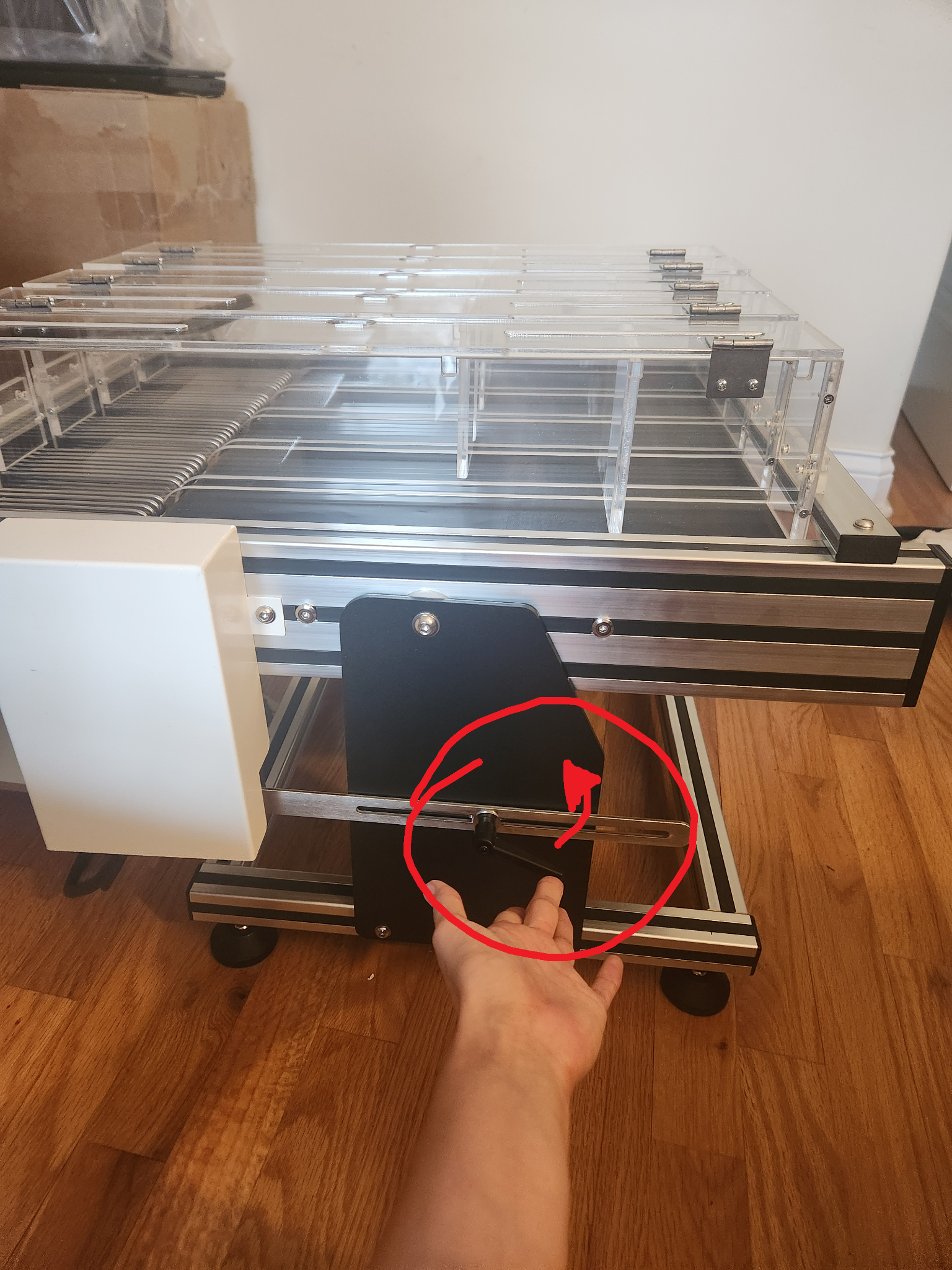
The slope of the treadmill can be adjusted by using the handle on the right side. Use the angle meter provided to get to the exact degree.
Sound and Light Stimulus
The system comes with 120db (decibel) sound stimulus and 10000Lux, and can be independently controlled using the touch screen.
Experiment Environment
The instrument comes with a high-precision temperature and humidity sensor, real-time monitoring of laboratory temperature and humidity environment and save the record of the parameters along with the experiment results.
3. Assembly Instructions
System Connection
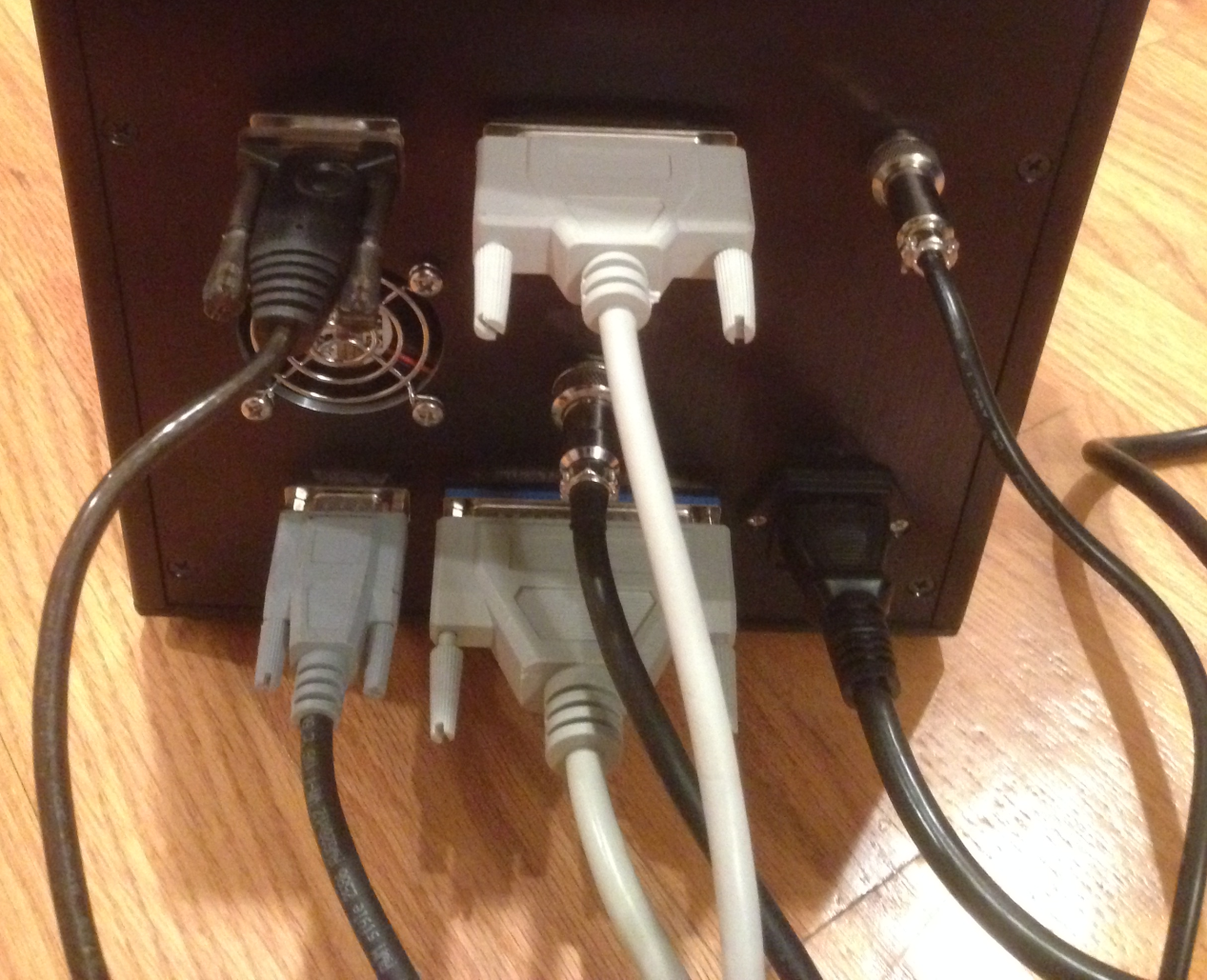
- Upper left: USB To RS232 cable connecting treadmill and PC
- Upper middle: 25-wire connection to the printer interface
- Upper right: 5V printer power cord
- Middle row: Four core interface connecting to Treadmill (Motor)
- Lower left: Connect to Treadmill
- Lower middle: Connect to Treadmill (electric stimulus)
- Lower right: Power cord (110V-60HZ)
4. Experiment Setup
4.1 Power On
When Power is turned on, the standby screen shows two labels Delete! (top label) and Enter<<< (bottom label).
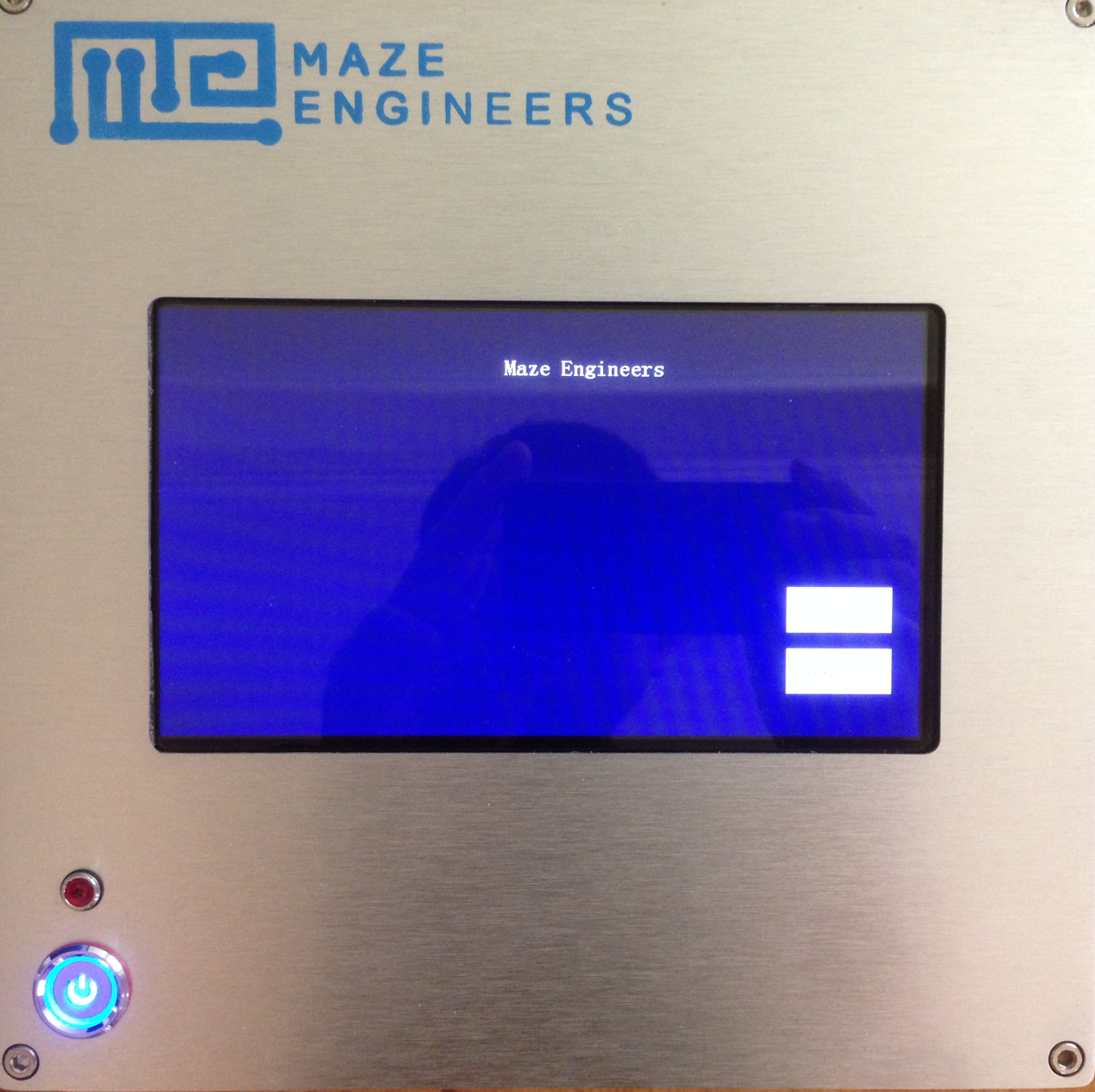
- If Delete! is pressed, the previous experiment result data is deleted, and the next experiment group (experiment ID) is reset to 1.
- Click Enter, and the experiment window appears as below:
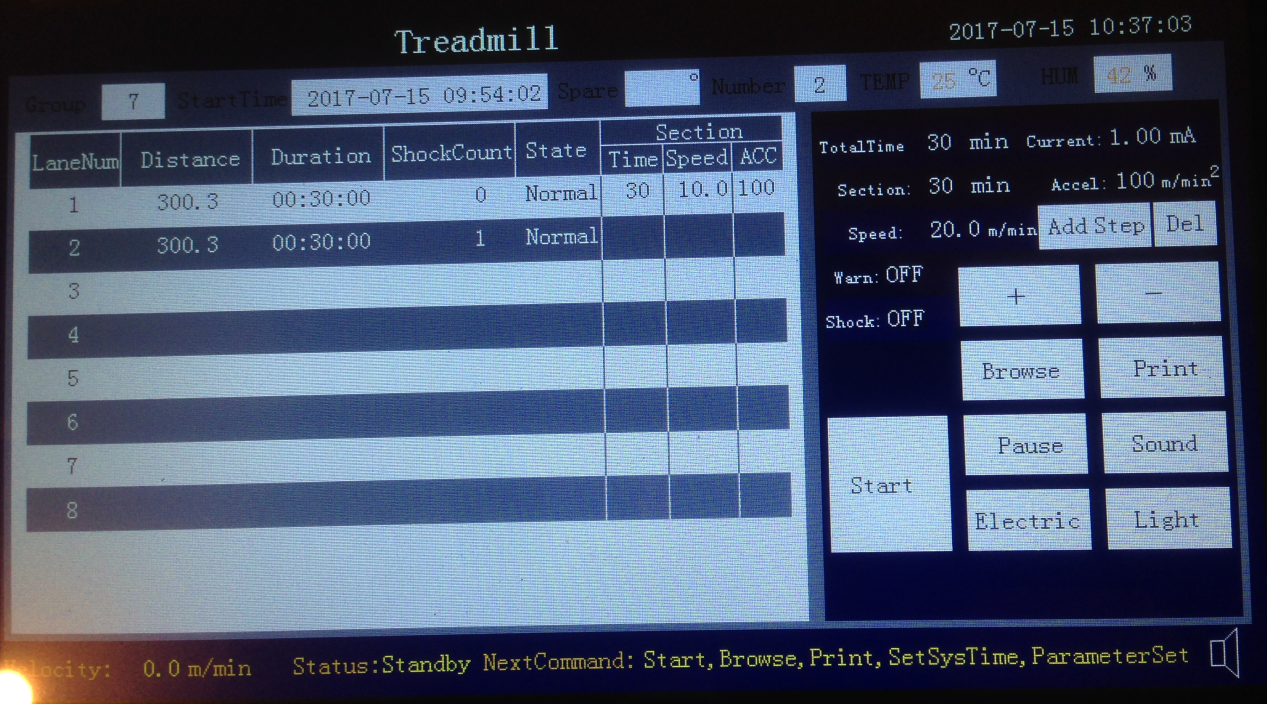
5. Experiment Configuration
On the experimental setup screen, the left-hand side of the screen displays results in real-time. The middle of the screen, under "Section", is where protocols are displayed. The right side of the screen is where protocols can be set up and parameters can be adjusted.
If used previously, the last protocol set will be saved on the experimental setup screen.
System Time Setting
Press on the system time display on the right up corner. Adjust the time stamp using +- keys on the right-hand side of the screen.
Parameters
The top row shows the following information:
- Experiment group (Experiment ID)
- Start time
- Number (Lane number)
- Temperature
- Humidity
Note that the number should be set to the number of lanes. For example, if two lanes are used, the number should be set to 2. The system is expecting both two lanes to start (both buttons in the front of the track pressed) in order to start counting total time.
Please ensure the lane number has been set to the correct number of lanes.
Speed Setup
The treadmill supports constant speed and constant acceleration (deceleration). The system defaults to the last protocol settings.
If you choose to change it, click Del key and all previous speed steps are deleted. Then set the time period, acceleration, and speed. To add multiple time periods, accelerations or speeds, click on Add Step to add the speed step to the configuration on the Section area. Ensure that the time of each step totals what is stated in the "Totaltime".
Example: Single Speed Step
For an experiment run of total 30 minutes, speed 10 meter/min, acceleration 100 meter/min²:
- Set TotalTime to 30 minutes
- Set Section time to 30 minutes
- Set speed to 10 meter/min
- Set acceleration to 100 meter/min²
- Press Add Step
- Your setup is shown in the right Section of the left panel. Click Start to run treadmill
- Press the button in the front of the each lane, the lane count starts
- You can press Stop to stop treadmill running or wait until the total time reaches
Multiple-step Speed Setup
Example: Two Speed Steps
For an experiment run of total 30 minutes with two speed steps:
- Step 1: from 0-5 minutes, speed 10 meter/min, acceleration 100 meter/min²
- Step 2: from 6-30 minutes, speed 20 meter/min, acceleration 95 meter/min²
Follow the following steps:
- Press Del to delete previous speed step(s)
- Set TotalTime to 30 minutes
- Set Section time to 5 minutes
- Set speed to 10 meter/min
- Set acceleration to 100 meter/min²
- Press Add Step
- Your setup is shown in the right Section of the left panel with two lines:
| Section | ||
|---|---|---|
| Time | Speed | ACC |
| 5 | 10 | 100 |
| 25 | 10 | 100 |
The second line is added for the remaining 25 minutes.
- Set Section time to 25 minutes, speed to 20 meter/min, acceleration 95 meter/min², then press Add Step
- Your setup of the second speed step is reflected in the second line:
| Section | ||
|---|---|---|
| Time | Speed | ACC |
| 5 | 10 | 100 |
| 25 | 20 | 95 |
Your setup is ready to run.
- Click Start to run the treadmill control box screen
- Press the button in front of each lane, the lane count starts
- You can press Stop to stop treadmill running or wait until the total time reaches
Note: The maximum number of speed steps is 8.
Note: For the treadmill to move to the higher speed step, all lanes (up to the lane number specified) need to start.
Example: Standard Exercise Tolerance Protocol*
Max speed 40m/min, acceleration 5m/min every 30 seconds until 40m/min is reached.
*O. V. Mamontov, A. A. Karpov, S. M. Minasian, D. A. Fedoseeva, A. N. Kalinichenko and A. A. Kamshilin, "Physical Training Reverses the Impaired Cardiac Autonomic Control and Exercise Tolerance Induced by Right-Side Vagal Denervation," in IEEE Access, vol. 10, pp. 10393-10401, 2022, doi: 10.1109/ACCESS.2022.3144611
Real-time Speed Adjustment
After the experiment run starts, speed can be adjusted using +- buttons.
Pause
After the experiment starts, you can pause the treadmill using the "Pause" button if you need to stop the treadmill quickly. After clicking on Pause, the label changes to "Resume". Click on Resume to automatically resume treadmill running.
Electric Stimulus
Click the label "Electric", and the electric shock turns on for all lanes. Click Electric again turns off the shock.
Sound Stimulus
Press the "Sound" button, to play a tone cue. Press Sound again to turn off the sound.
Light Stimulus
Click on the "Light" to turn the light cue on. Click the Light again turn off the light.
Stop Experiment
Click the Stop button and the experiment stops. By default, the treadmill runs until the end of the experiment's total time.
Real-time Speed Display
The real-time speed is shown on the lower left panel of the screen.
System State and Operation Reminder
The current system state is shown on the lower screen. The states include: Standby, Set, Running, Pause, View and Set-Time.
Available operations on each state:
- Standby: Start, View, Print, SetSysTime, ParameterSet
- Set: Start, +- parameters
- Running: Stop, Pause, Electric, Light, Sound, +-SetSpeed
- Pause: Stop, Resume
- Browse: +-ChangeGroup, Print
- SetTime: change timestamp
Browse and Export Data
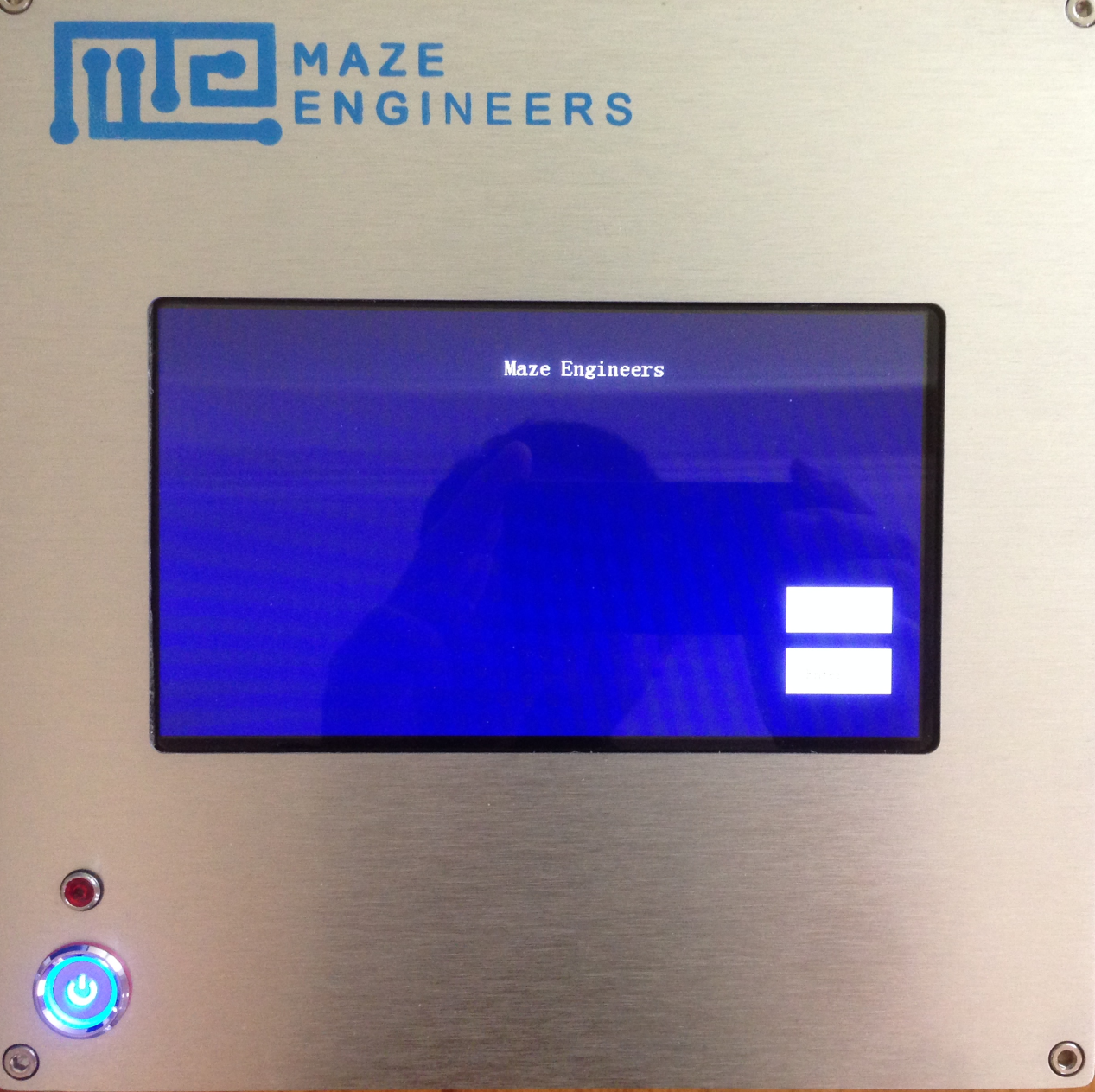
Connect the treadmill control box to a computer using the USB cable and turn on control box on. Data viewing and export can be performed when the treadmill is on the standby screen (see below). Using the treadmill PC software, you can then view and export data. See the software manual for additional information.
6. Training
Necessary training may be required for animal to be familiar with the treadmill. The training method can be as follows:
- Power on the treadmill, set the speed 5m/min, 10m/min, 15m/min respectively, and trial time 3-5 minutes. Electric stimulus is set to 1.0-2.5mA for Rats and 0.8-1.5mA for mice. Then start the experiment and turn on the electric stimulus.
- After step 1 training, put animal in the lane and press the button of each lane to start counting.
- Observe the movement of experimental animals, according to the need for repeated training or speed training.
7. Precautions
- In case the animals stay in the electrical stimulation area and does not run, try the light or sound stimulus.
- If the user needs to adjust the space between the shock grid and treadmill belt to accommodate the subject's tail, the user can stop the experiment using the Pause button and adjust the space using the supplied U-shaped pieces. If not included, please request these and instructions on how to adjust the space.
- Regular cleaning of equipment, including belts and electrical stimulation areas, is needed to achieve the best experimental results.
- Ensure the treadmill is off and unplugged from power before cleaning.
- Avoid cleaning electronic components such as sensors, plugs, and contacts with liquid cleansing agents; use a dry cloth instead.
- The following cleaning agents are suitable for use, ideally with a damp cloth:
- Unscented soap and water
- 70% Ethanol (avoid using on the clear acrylic lanes to prevent cloudiness and brittleness)
- 4% Acetic acid
- 5% Hydrogen Peroxide (products such as HaloMist)
- 4% Didecyl dimethyl ammonium chloride (DDAC) and 4% Alkyl dimethyl benzyl Ammonium chloride (products such as Sani-Plex 128)
- Hydrochlorus water 100ppm
Warning: Please power off before cleaning the equipment.
- Due to the mechanical structure and motor component, noise may appear during operation, which is a normal noise. The noise can be eliminated by maintenance or contact the manufacturer.
- We recommend, after running 200 hours, to have a maintenance - cleaning the transmission parts plus lubricating oil.
8. Shipping List
| No | Item | Qty | Note |
|---|---|---|---|
| 1 | Treadmill | 1 | |
| 2 | Control box | 1 | |
| 3 | Power cord | 1 | |
| 5 | Angle meter | 1 | |
| 6 | USB cable | 1 | |
| 7 | Motor cable | 2 |