
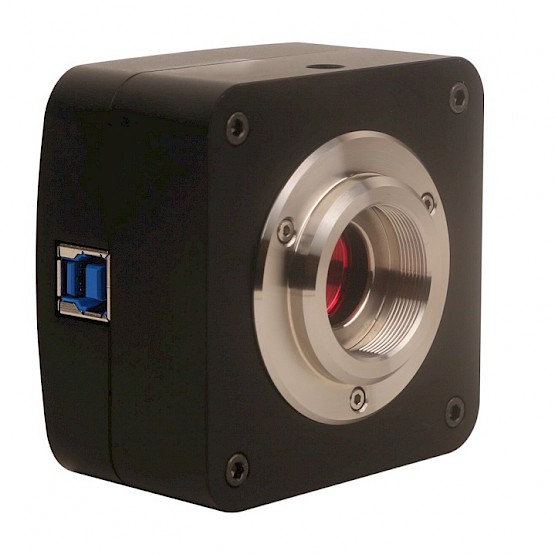


Conduct Vision Home Cage System Specification
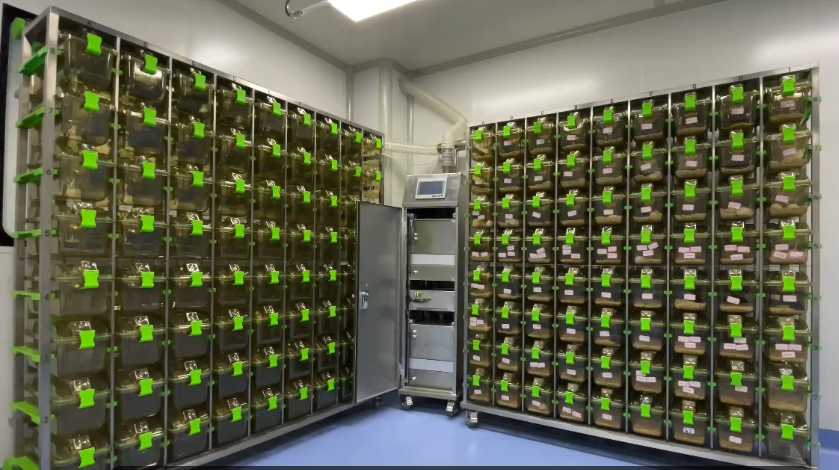
Mouse Home Cages
- 140 cages
- Fit in a room of 12 square meters
Cages and Racks
Cages
- 140 cages in total
- Each standard mouse cage with a lid
- Cage dimension for mouse 20 x 25 x 20 cm (Length x Width x Height) with 500 cm² of floor space
- Cage has an air inlet and outlet
- Cage has a water bottle and a food hopper
- Cages are connected with neighboring cages within the racks
- 70 replacement cages and lids
Racks
- Two stainless steel racks
- Each rack has a capacity of housing 72 cages
- The rack has air input and output tubes
Ventilation
- Single ventilation system
- Draw a constant supply of fresh air through the front of a cage using a filter and air pump
Cage Monitoring System Components
Cage Tracking Technologies
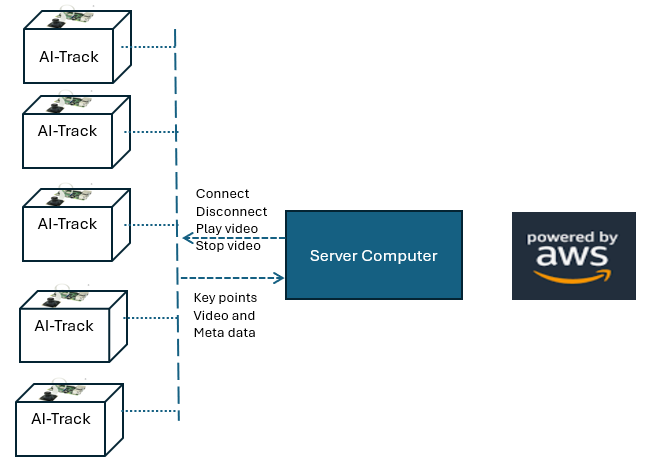
- Each cage is equipped with a NVIDIA Jetson Orin Nano and device compatible camera. The device is a powerful edge AI device designed for real-time AI inference, making it a great choice for Conduct Vision animal behavior tracking in zebrafish, rodents, and Drosophila.
- This is a scalable solution for the home cage monitoring system. Each computer can support many cages. We recommend up to 16 cages per computer for resource and performance considerations.
Server Computer
A server computer is used to run the Conduct Vision software that supports:
- Create user protocol
- Control the video tracking request to cage Jetson Nano device and process the results from the cage tracking
- Perform the behavior analysis
- Provide detailed and summary results, charting and heatmap and other functionalities
- The server can be in the lab
- The server can stream the video result to the cloud like AWS
- A powerful server with large volume of hardware storage is ideal. A GUI machine is preferred but not required
Web Hosting and Hardware Storage (Optional)
- Web hosting on the cloud like AWS
- This requires establishing a connection from the server to AWS, handling data traffic, and managing remote storage
- Online visualization of monitoring data
Remote Monitoring Solution
Direct Access to Server
- Given the computer server in the lab, the user can login to the computer and view the monitoring on the computer
- Users typically access the computer remotely (from home for example) via a VPN
- This is cost effective and avoids the connection complexity to the external cloud system like AWS
Browser-Based Access (Optional)
- If the results are to be streamed to a cloud like AWS, the user can use a browser to visualize the results
- This is convenient but the data visualization is not as sophisticated as on the server computer
- Syncing data to the cloud requires external connectivity and is costly
- Consider this option only when it is necessary
Cloud-Based Access (Optional)
- If the user would like to use a cloud-hosted computer, the protocols and results can be shipped from the local server to the cloud server
- The software can be deployed on the cloud-hosted server and the user can view the results on the cloud computer
- It is also possible that a direct connectivity between the cages and a cloud-hosted server allows for direct integration without intermediary systems
Animal Behavior Analysis (Marker-Less Technologies)
Video Recording and Replay
- Record the tracking video and replay the recorded videos
- Applicable for monitoring animal health
- Save video with low frame rate so that the file size does not grow too large
- Data recording 24 x 7 continuously
Animal Motor Activity and Social Interactions
- Track animal key points
- Calculate the distance, speed and acceleration of animal activity
- Calculate animal social interactions like affiliative, exploratory and aggressive behaviors
- Provide both a detailed result and a summary result
- Generate chart and heatmap
Marker-Less Technologies
In multi-animal tracking scenarios, individual animals are identified and tracked independently, even in cases of overlapping or occlusions. This is achieved with the most advanced AI deep neural network architectures and algorithms.
Software
Software on Server
Conduct Vision Video Tracking Software – AI based Home Cage Monitoring System
- Allow users to create protocols, run the protocol, save the result
- Provide motor activities and social interaction behavior analysis
- Marker-less animal identification tracking
- Record and replay videos
- Run 24 x 7 continuously
Web-Based Software
- Display the available videos
- Play selected video (play, forward, backward, fps)
- View behavior result