
7. Maze Protocols
7.1 Y-Maze Spontaneous Alternation
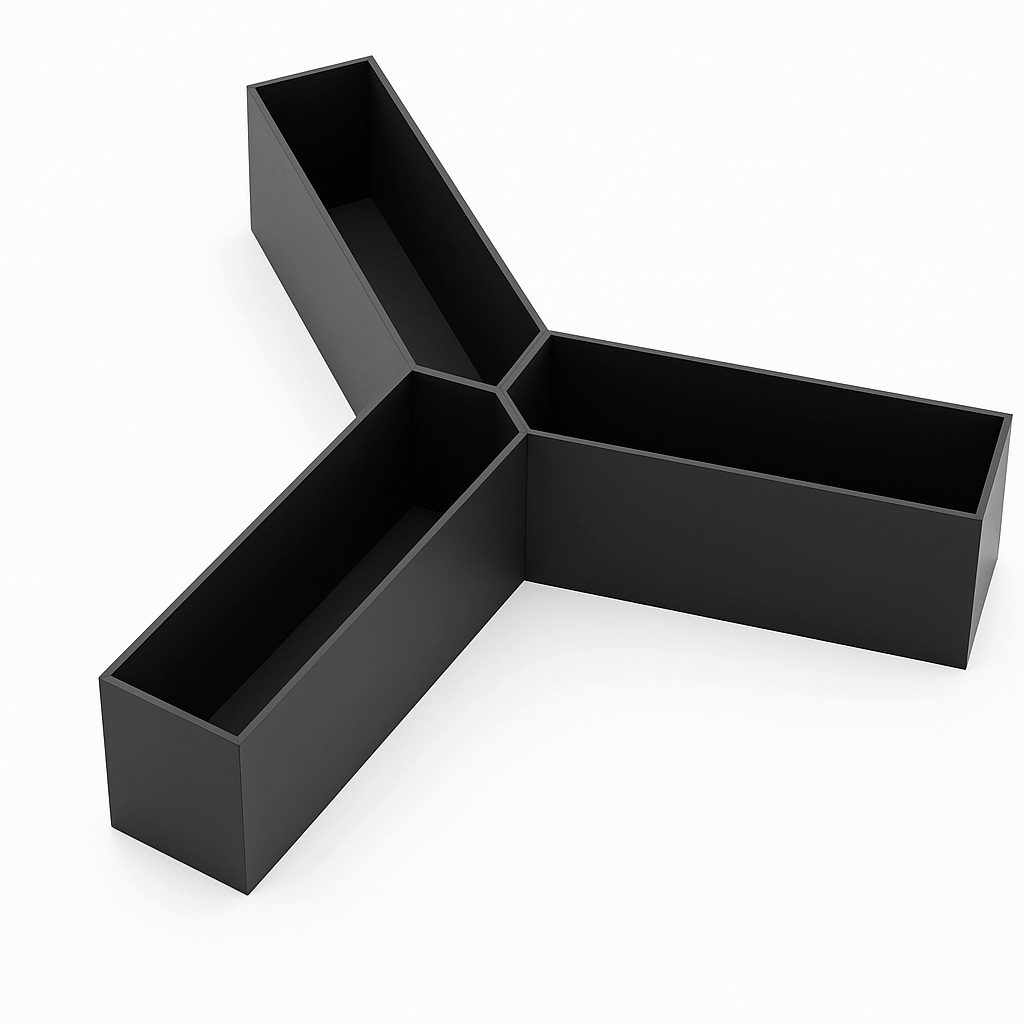
The Y-maze spontaneous alternation test is a behavioral test often used in research, particularly in neuroscience and psychology, to assess spatial memory and exploratory behavior in rodents.
The Conduct Vision software provides spontaneous alternation analysis using tracking data.
7.1.1 Y-Maze Alternation Specification
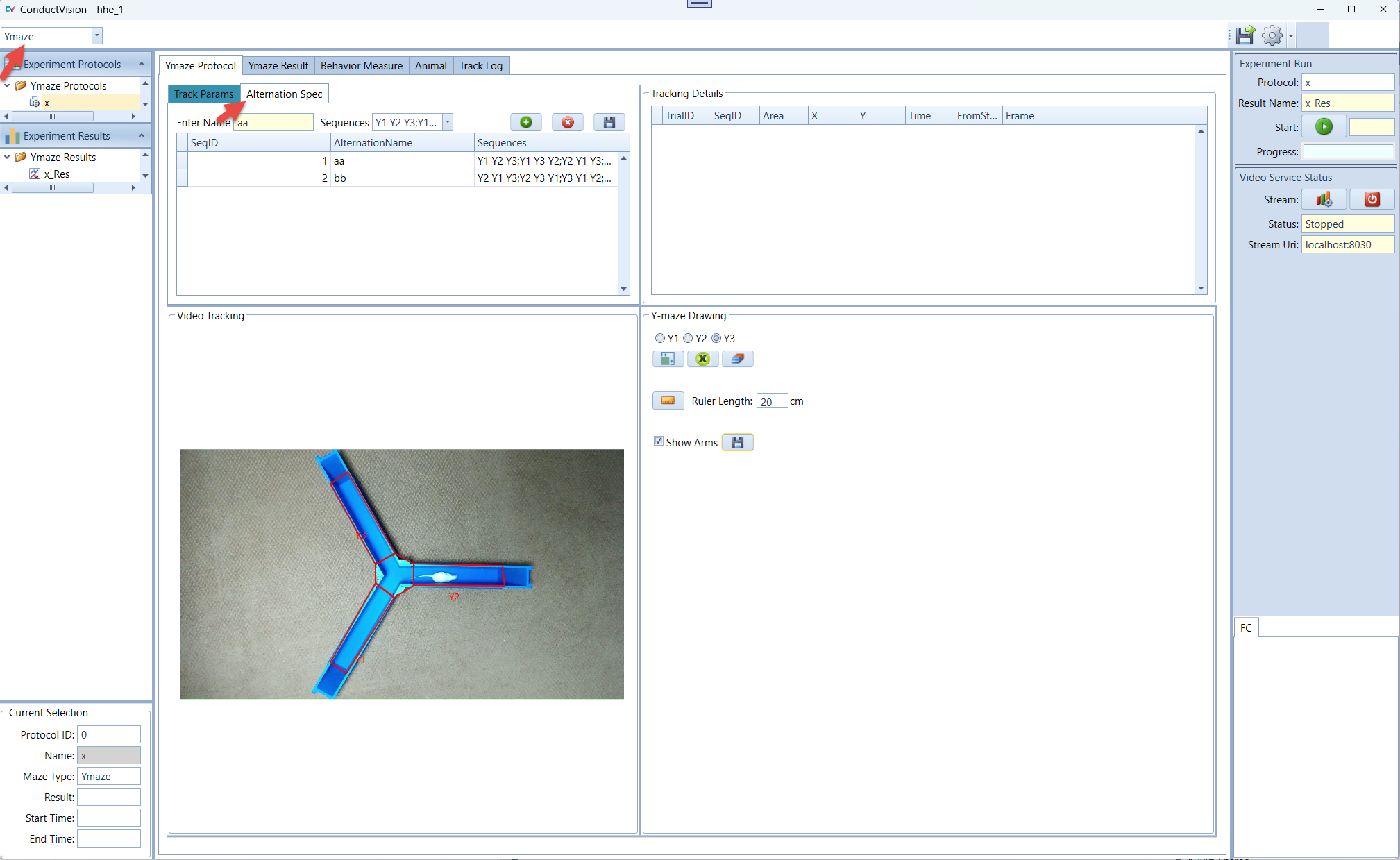
There are six possible sequences for Y-maze:
- Y1 Y2 Y3
- Y1 Y3 Y2
- Y2 Y1 Y3
- Y2 Y3 Y1
- Y3 Y1 Y2
- Y3 Y2 Y1
The user can specify all sequences or a subset of the sequences. The screenshot below shows alternation sequences that are chosen.
Once the specification is chosen and the Calculate button is clicked, the specification and the result is automatically saved.
7.1.2 Y-Maze Alternation Result
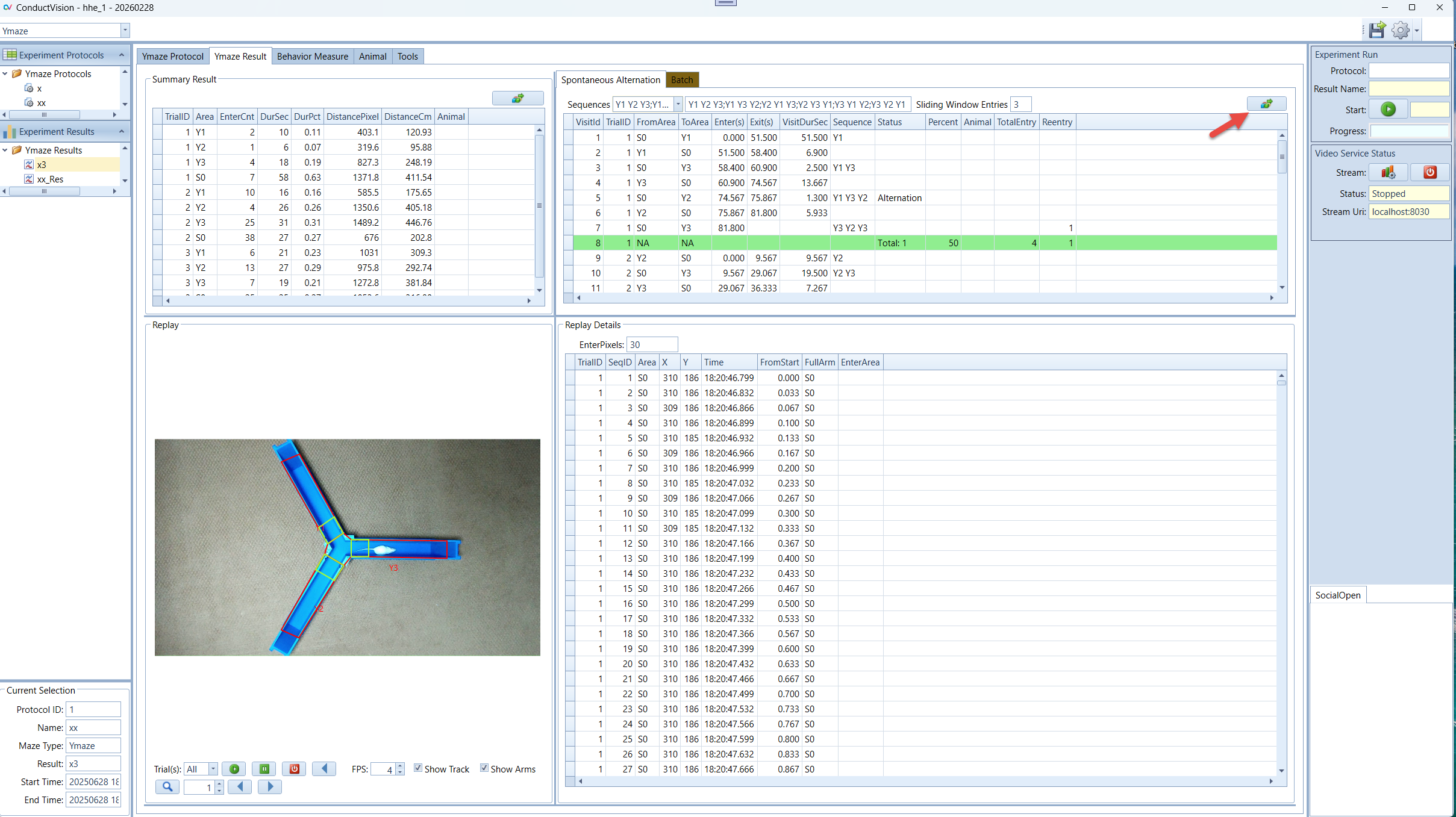
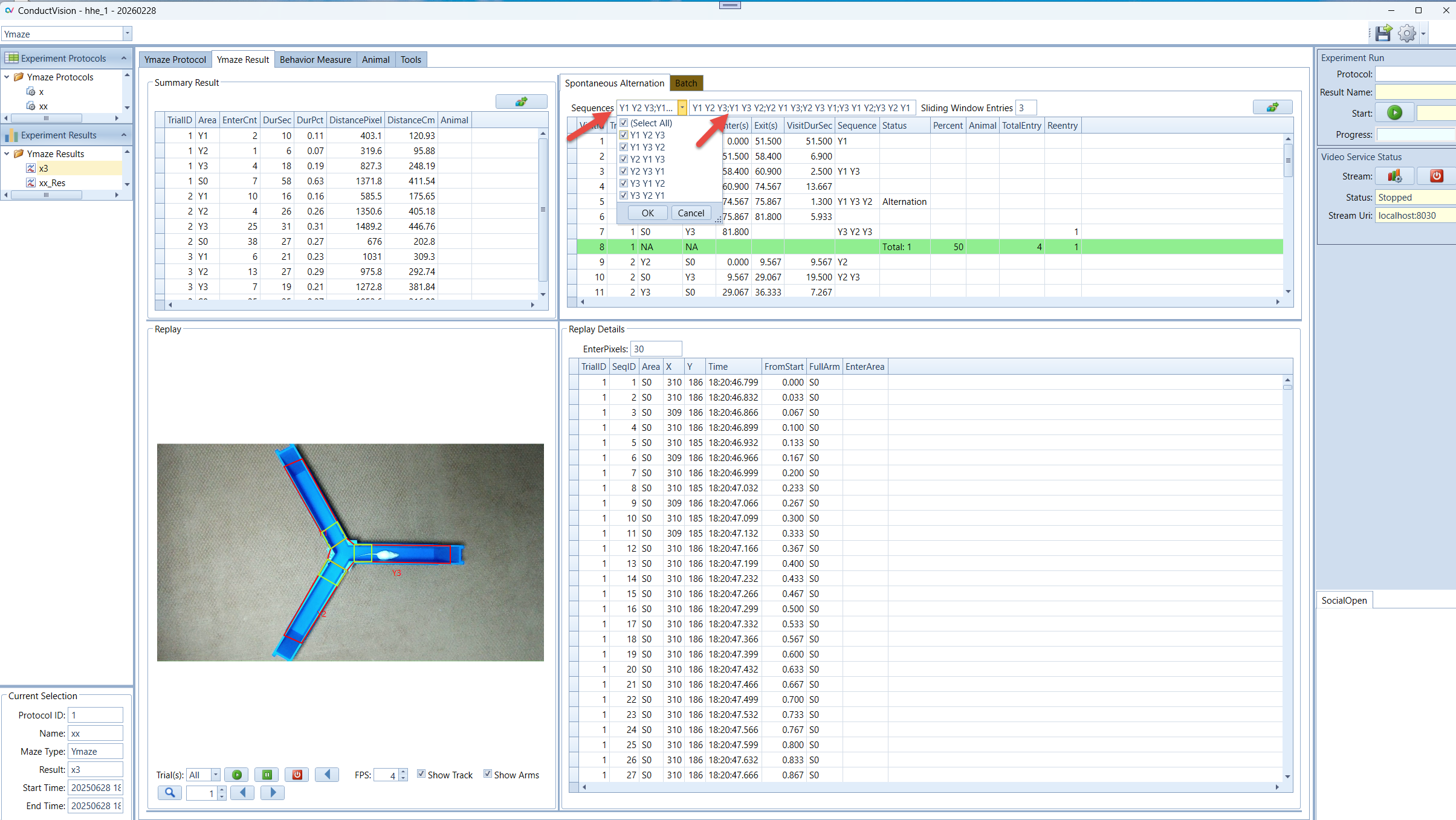
On the result tab, the Spontaneous Alternation panel displays the result of alternation analysis for the chosen specification.
Press the calculation button

The calculation is done for each trial. At the end of the result of the trial, a summary line is displayed with number of alternations and the alternation percentage.
Examples:
- Example 1: The first four rows shows arm entry sequence Y1Y2Y3. Since Y1Y2Y3 is in the definition, the sequence makes an alternation.

- Example 2: The following four rows shows arm entry sequence Y3Y2Y1. Since Y3Y2Y1 is in the definition, the sequence makes an alternation.

- Example 3: The following four rows shows arm entry sequence Y2Y3Y2. Since Y2Y3Y2 goes back to Y2 after Y2Y3, it is not a spontaneous alternation.

Total Alternations:
The last row of the entries for a trial shows the total alternations and alternation percentage.
7.1.3 Y-Maze Alternation Calculation and Interpretation
Alternation Percentage:

= x 100
A high spontaneous alternation percentage indicates good working memory and spatial awareness, whereas a lower percentage may suggest memory impairment or cognitive deficits. This measure is especially useful in studies on neurodegenerative disease, pharmacological interventions, and genetic modifications affecting memory and cognition.
For further detail, search ChatGPT message "Y-maze spontaneous alternation percentage"
7.1.4 Y-Maze Reentry Calculation
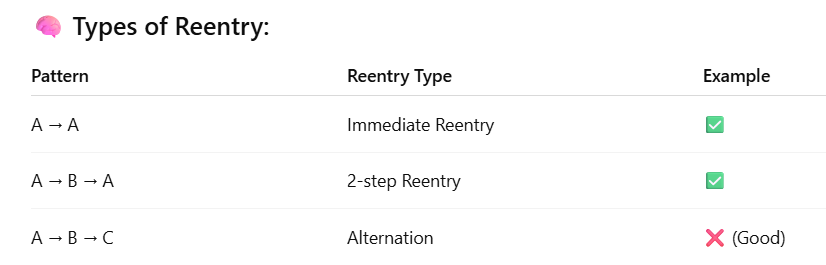
Definition: Arm reentry includes Immediate Reentry and 2-Step Reentry:
- Immediate Reentry - Reentering the same arm immediately after leaving it (e.g., A → A)
- 2-Step Reentry - The animal enters the same arm within 3 consecutive choices. Every time an arm repeats within the 3-entry sequence (e.g., A → B → A)
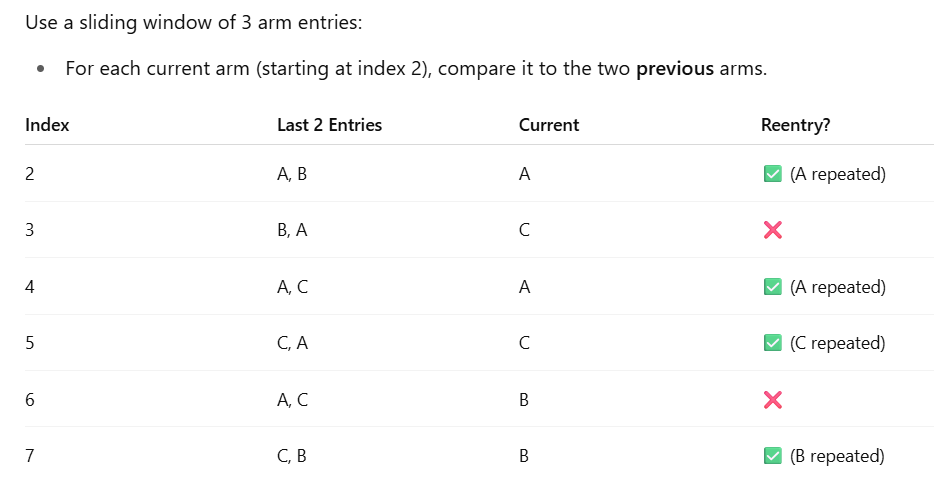
For example, given the following sequence:
{"A", "S", "B", "S", "A", "S", "C", "S", "A", "S", "C", "S", "B", "S", "B"}
Where:
- "S" = center
- "A", "B", "C" = maze arms (actual entries of interest)
Calculation Example:
The center is excluded from arm transition analysis.
7.1.5 Result Verification
The software provides detailed information about each arm entry or reentry. The entries and reentries are easily verified with video replay.